Document Approvals
How document approval state, summaries, history, restore behavior, and approval events are handled in TrialStack.
Keep sign-off separate from drafting
flowchart LR
    Document[Document] --> Approval[Approval record]
    Approval --> Decision[Decision trail]
Document approvals are their own governed workflow. They preserve formal review state, decision history, and approval accountability separately from ordinary document editing.
In the product
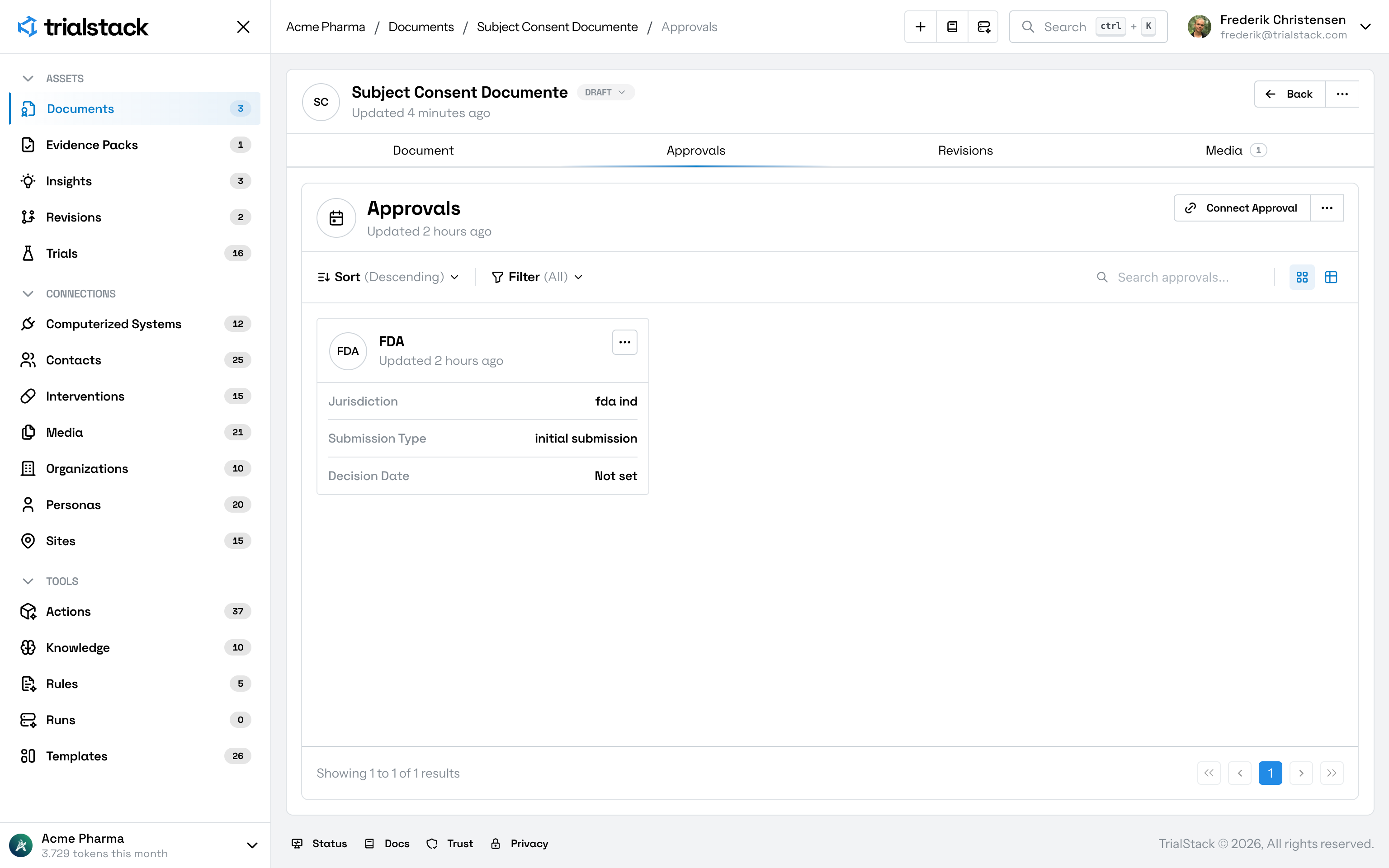
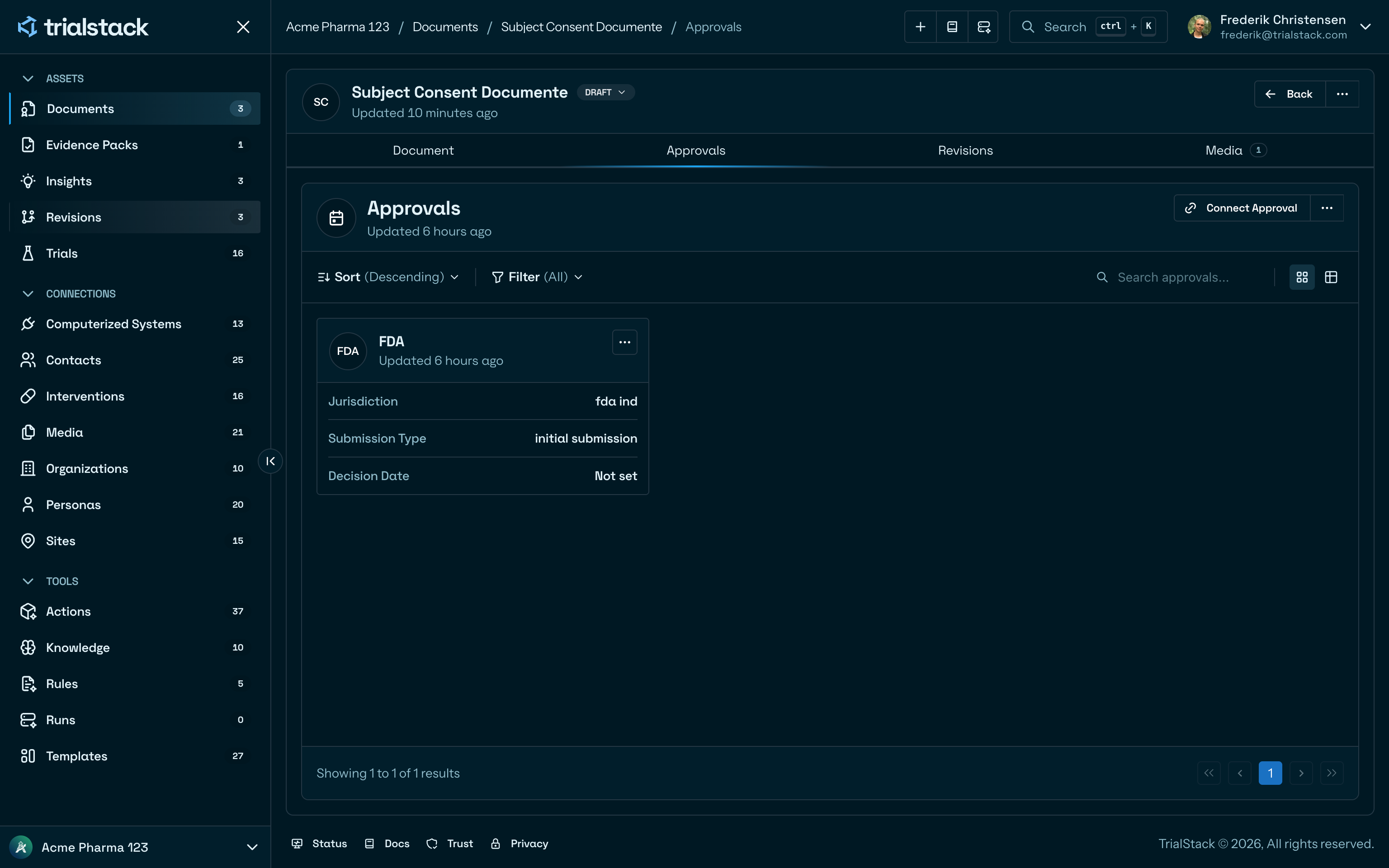
The approvals tab keeps each connected approval event visible beside the source document.
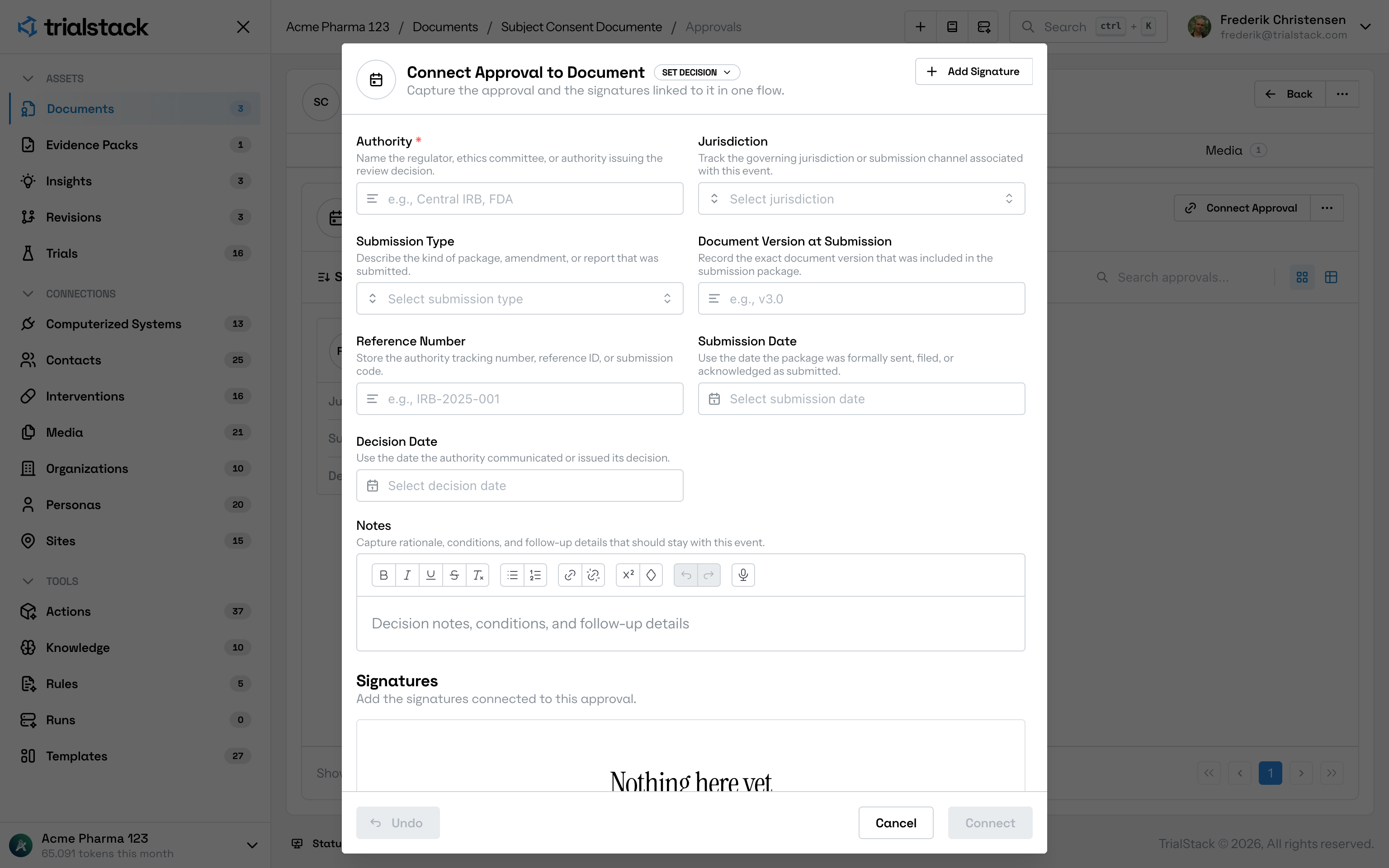
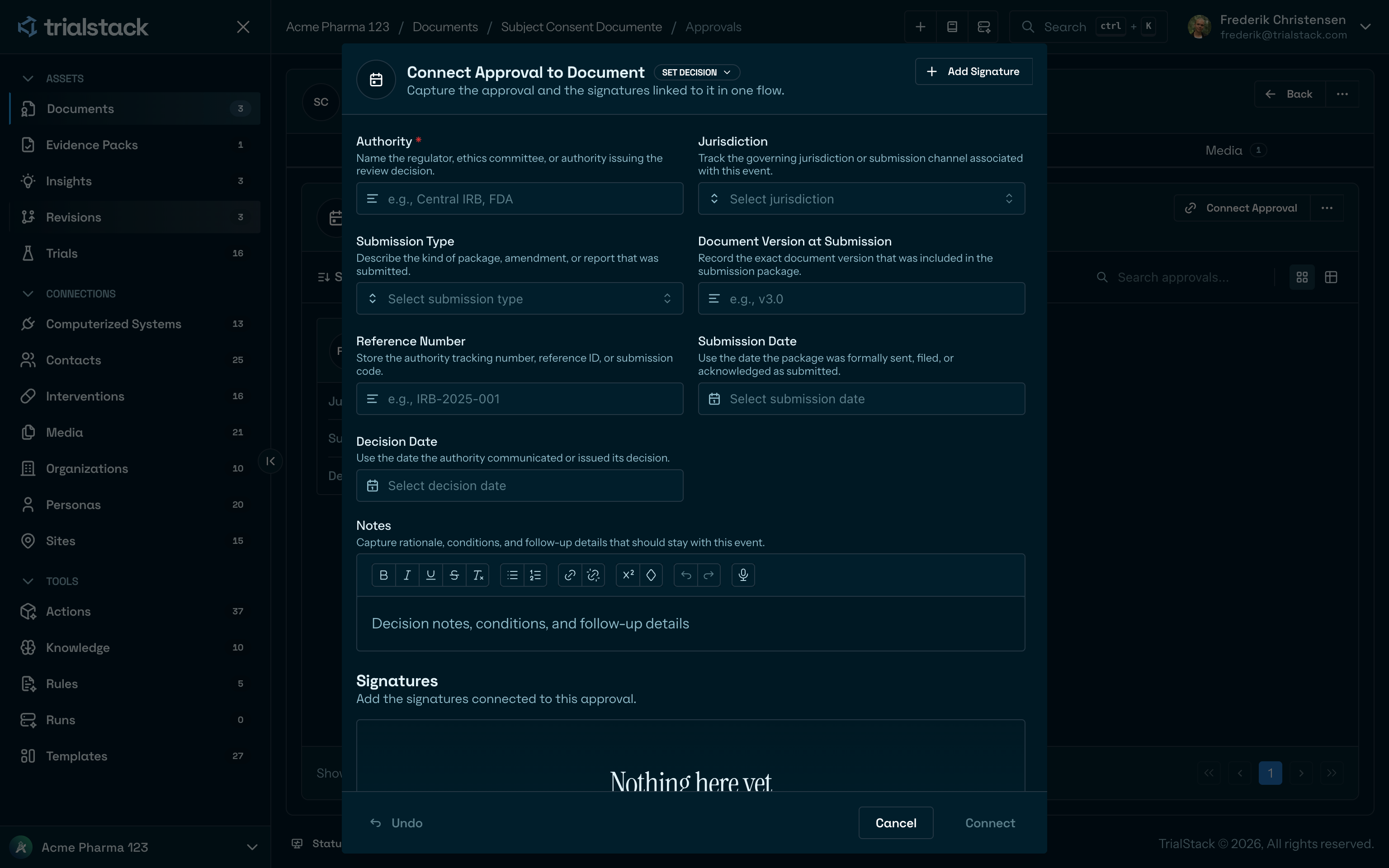
Connecting an approval captures the authority, jurisdiction, submission details, notes, and signatures in one governed flow.
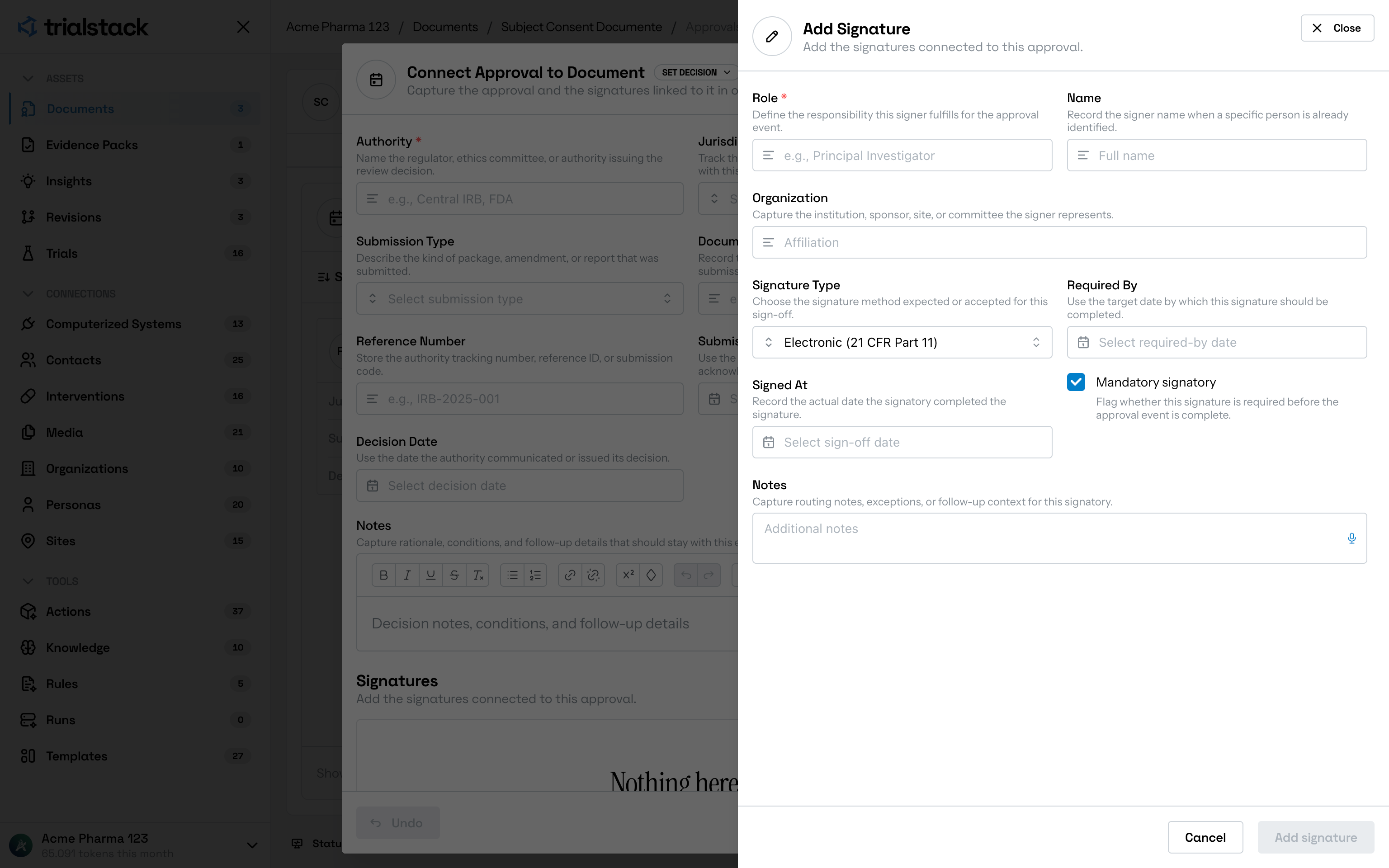
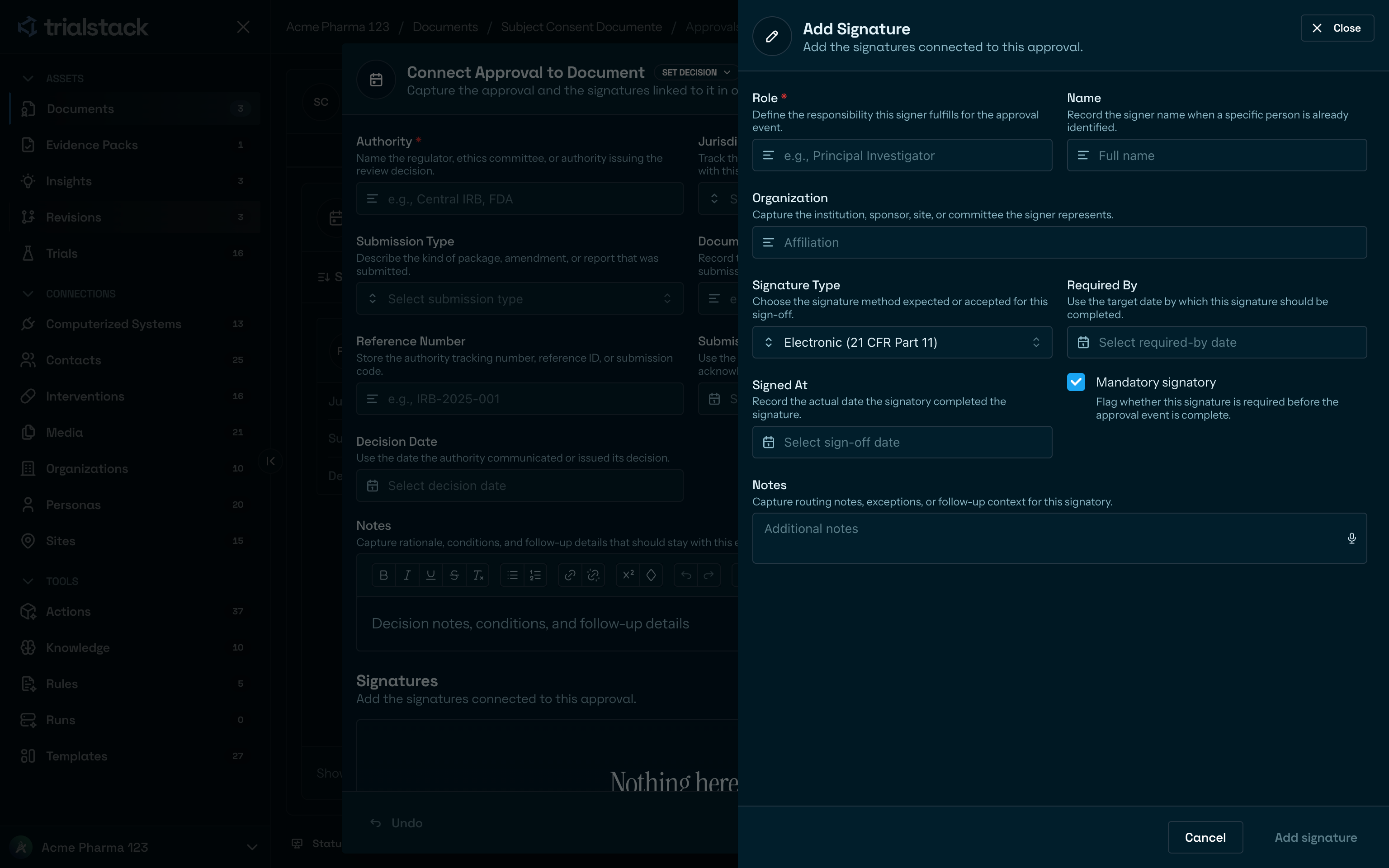
Signatures are modeled explicitly so required signatories, due dates, sign-off dates, and signature method stay reviewable.
Work around the decision record
The approval workflow exists so teams can keep the content record and the review state side by side without confusing them.
Use it when formal review matters
Document approvals are the right fit when:
- the team needs visible approval state for a document
- approval history may matter to later audit or dispute resolution
- signatories and approval events need their own reviewable record
On the page
| Section | Purpose | Typical content |
|---|---|---|
| Approval list | Show the connected review record | Authority, jurisdiction, submission type, decision date |
| Connect or edit approval | Capture the formal event | Submission metadata, reference number, dates, notes |
| Signatures | Keep sign-off requirements explicit | Roles, names, signature type, due date, mandatory status |
Keep approval and content changes distinct
Approvals do not replace document version review. Teams should still use revision or history-aware editing when the content changes materially and use approvals when the review state around that content is what matters.